Tuesday, February 2, 2016

Creativity and Tech Integration in Writing - Part 1

An informal brainstorming session with +Jonathan So, a good friend and colleague, led my students and I down the road of a character development idea that would fit in nicely with writing. Our talk provided me with some sparks on how to hook my students into doing some writing while having the opportunity to be creative, integrate some helpful technology, and bring their ideas to life.

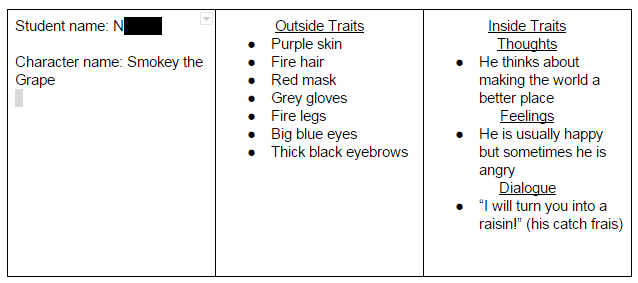
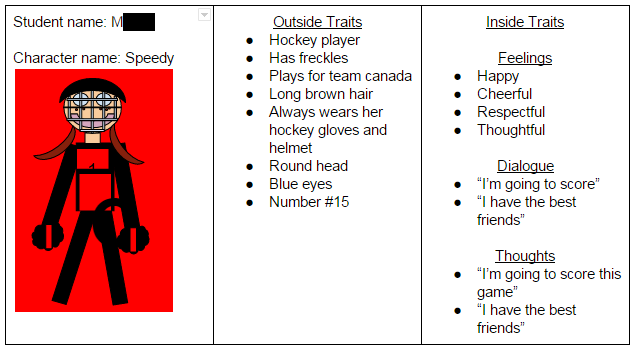
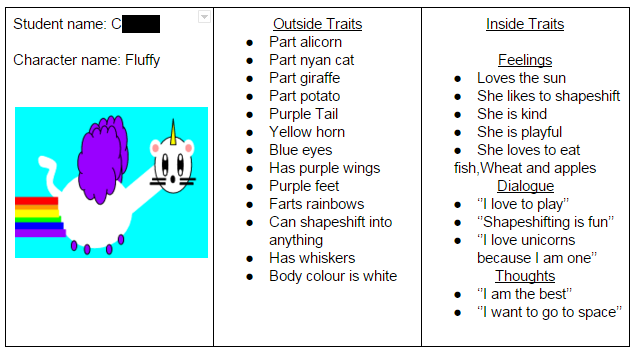
The task is to create a fictional character and then weave him/her/it into some narrative writing. We started by talking about internal and external character traits and then started to develop our own characters. The students were provided with a graphic organizer where they would draw a picture of their character in the middle and then list their external and internal traits on either side of the character. Here are a few examples:


After the students finished getting their rough ideas on paper, we thought it would be a great to start a Google Doc in order to have all our ideas in a central place where we could look at each others work, share our thoughts, and even grab some inspiration (whether we are at school or at home, an Internet connection is all that is needed to visit the work anytime, any day). I created the Doc and placed it in our D2L (Learning Management System) site. From there, the students could easily access it and start working. This is what it looks like:


As the students recorded their ideas from the work they did on their graphic organizer, they asked if they could include a picture of their character in the Google Doc. Why not? I told them that they could use Google Draw Drawings to recreate what they drew on their graphic organizer - they obliged!


The students have done a wonderful job of using their time effectively and putting in an honest effort. They are enjoying themselves and working hard as they think about their creations and how they want to develop their character. The work they are doing has captured their attention and they are responding well to the failure they are experiencing along the way and to the feedback I am providing them with. 

As they wrap up this portion of their writing activity, they will begin to work on taking their 2D drawings and transforming them into a 3D drawings. They will also start writing their narrative, staring their created character. They will use Tinkercad to turn their characters into tangible 3D products and will receive instruction on how to take their creative ideas and form a short narrative that makes sense and is entertaining. 

Make sure to check back with us to see the awesome stories and 3D artifacts that are created!


Thursday, January 7, 2016

Bringing Ideas to Life: Using 3D Technology and a Design Mindset - Project Update

With the new year under way I wanted to take some time to reflect on the last 4 months and report on the progress and setbacks of our journey to bring our thinking to life. My last post, wishing everyone a Merry 3D Christmas, was our end to 2015 and it was a great way to wrap up the year. I won't talk too much about it because it is a recent post but it was a great culminating activity to end 2015. I had to sit on my hands to not post it sooner than Dec 24 :)

In Science we had gone on a field trip to the Laurel Creek Conservation Area where we explored animal habitats. One of the activities the students participated in involved learning about animal skulls and teeth and how those characteristics help the animals survive. Many of the students started thinking about the knowledge they had gained and how they could apply what they learned in order to create their own animal skull. They talked about their ideas feverishly and wanted to start getting their ideas out of their heads and into Tinkercad to make their thoughts come to life. It was great to hear the students talk about their ideas and how they were connected to what they learned on the trip. Some of them planned out their thinking and what they wanted to do and other students just started creating and then demonstrated their understanding based on what they had learned. They all had the same goal but didn't all go about getting there the same way. As they worked on creating an artifact of their learning I questioned them, provided them with feedback, and explored their wonders with them.

Here are some photos of one of the skulls that were printed:


As you can see, the student had some issues with the top teeth of his skull. This led to questions about how to design in a way that would avoid this. One student suggested designing the top and bottom of the skull separately and then putting them together after printing. Another student suggested having more of a closed mouth where top teeth and bottom teeth could overlap in ways that would allow the printer to do its job but not ruin the aesthetics of the artifact. Lots of great discussion and new learning, both of which are a teachers dream!

We used social media to tweet the Conservation Area about the skull that was created and they asked if they could have a photo. This is what we sent them:


We tried printing other skulls but had some difficulty. Students hadn't corrected the issue with the top teeth so the printer wasn't able to create an artifact that was recognizable. This also led to many printer jams and a lot of wasted time. The designs would take close to two hours to print and we tried not to print anything when we weren't in the classroom. This didn't leave us with as much time as we thought we had! Needless to say, time is a big factor and is needed when printing our work. This new learning came in handy when we designed and printed our Christmas tree ornament and allowed us to create what we had envisioned and then shrink our artifact to a reasonable size that would reduce print time. It was one of our finest hours.

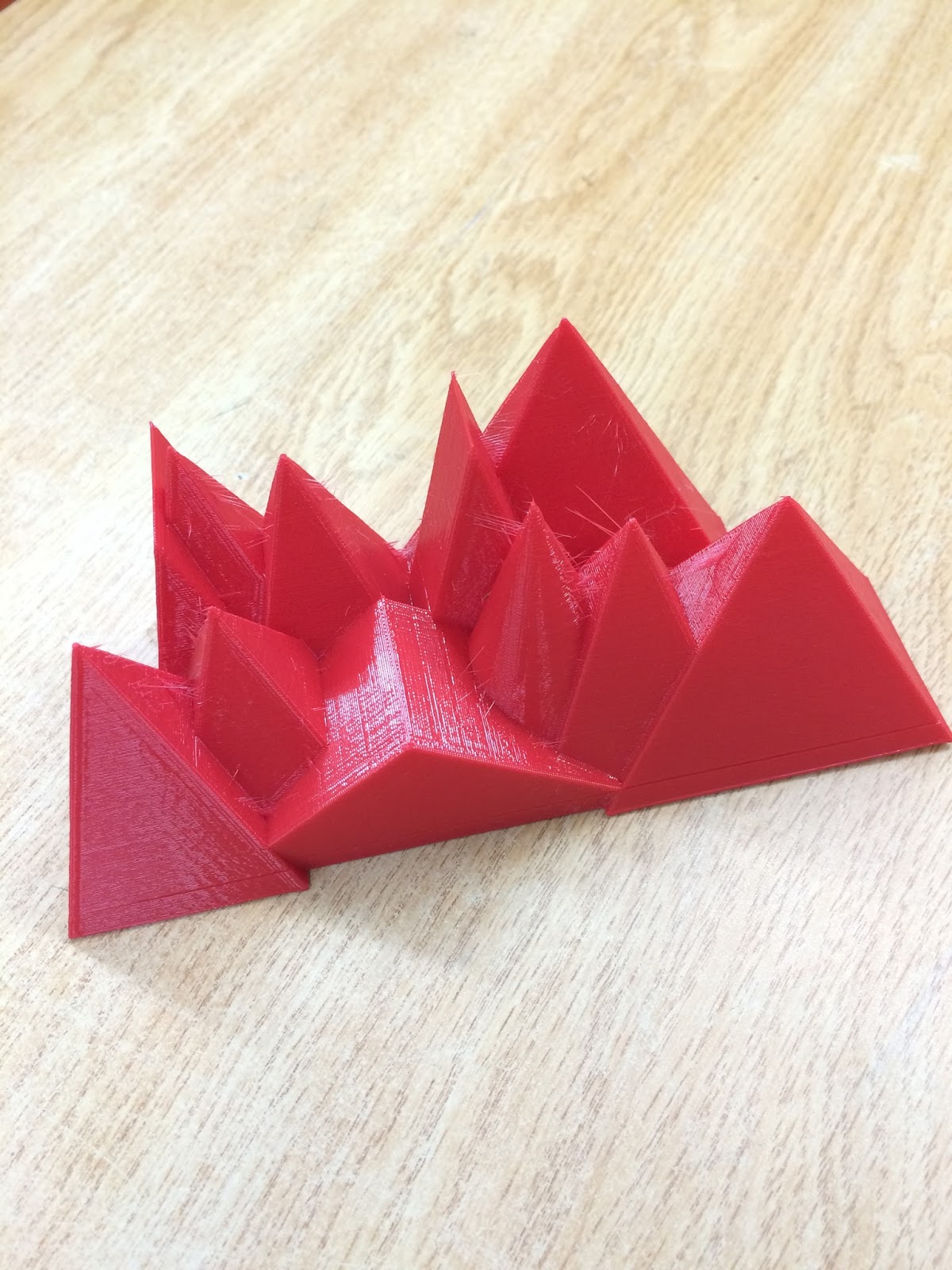
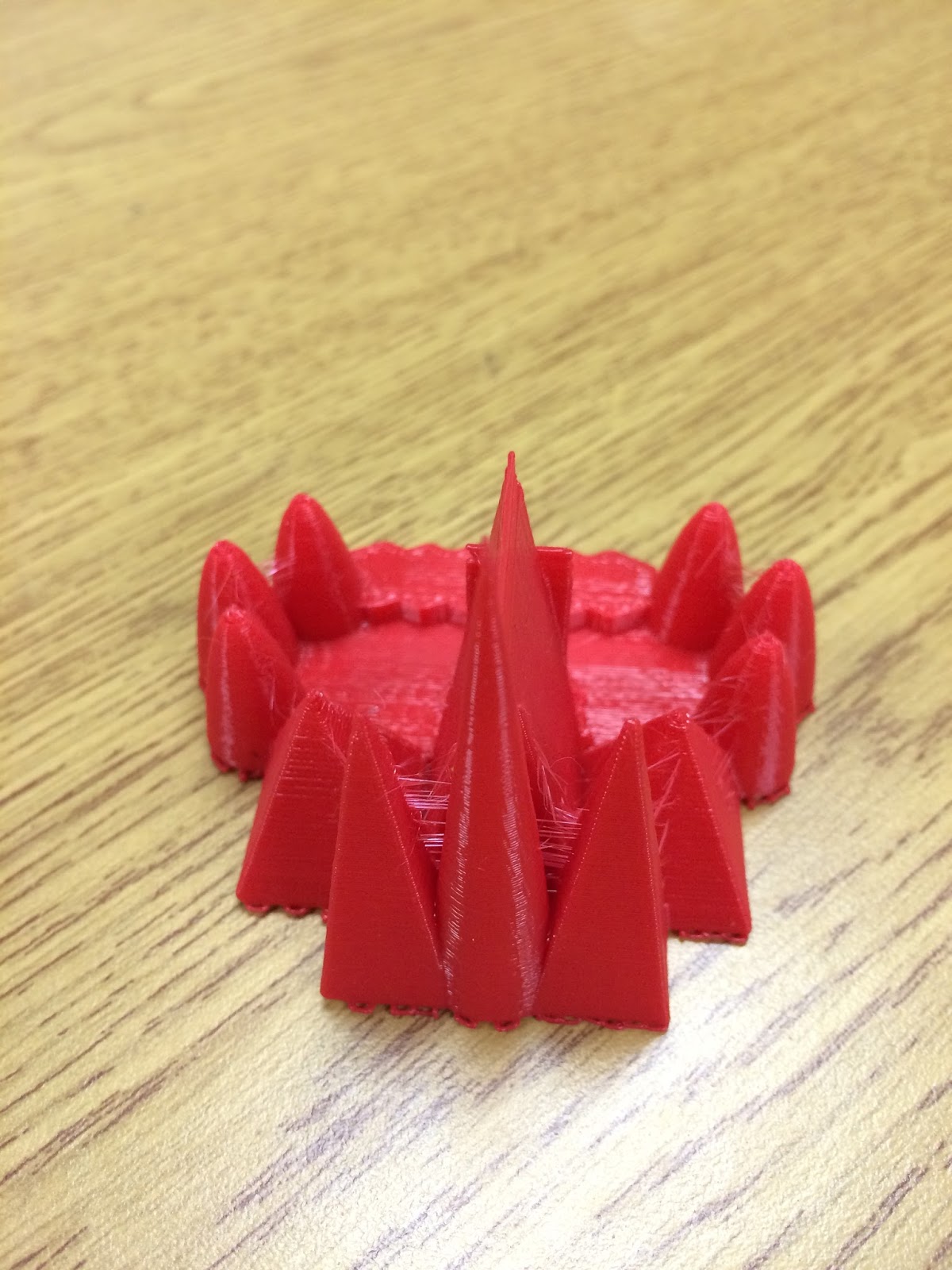
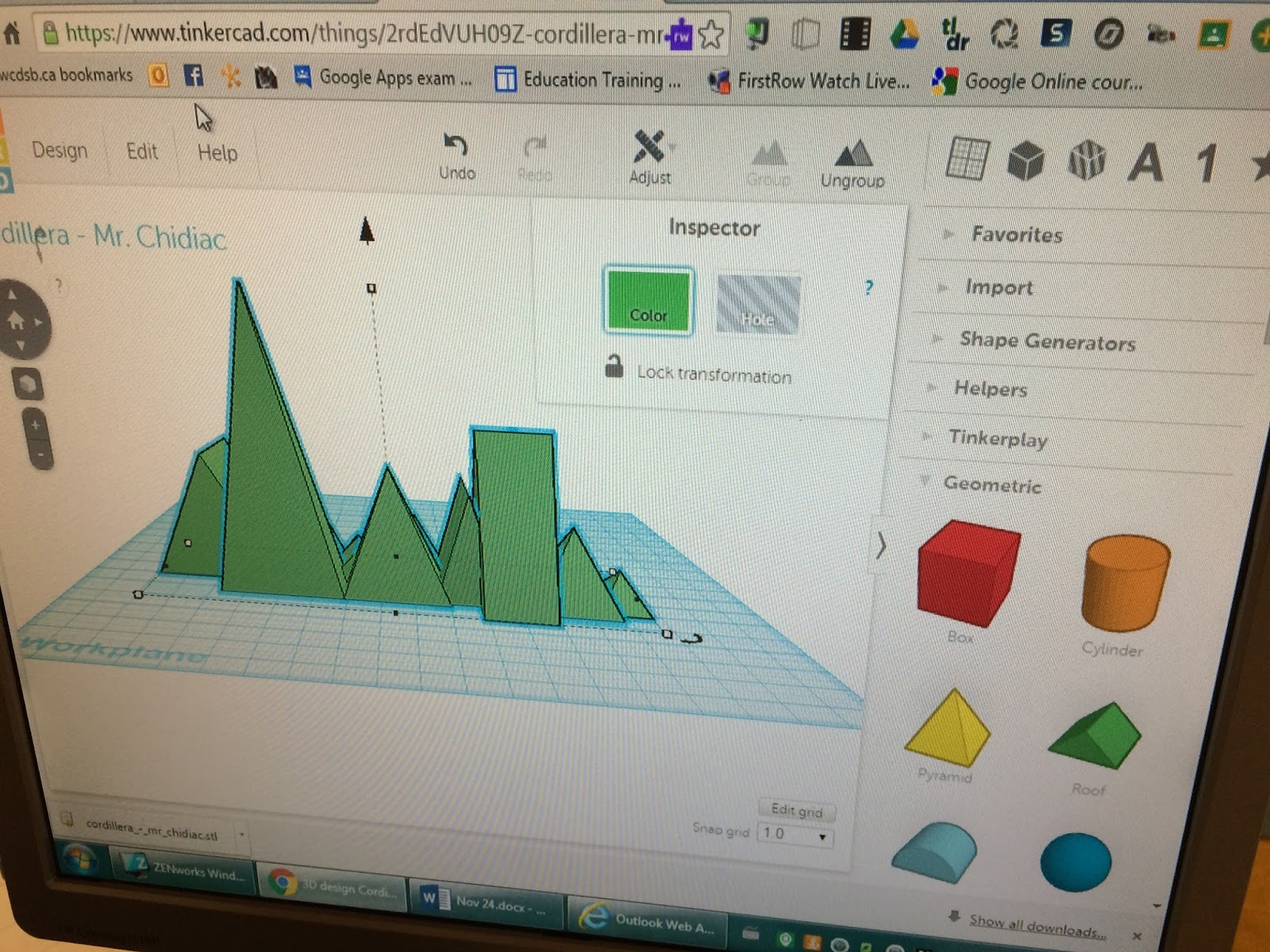
In Social Studies we were learning about Political and Physical Regions of Canada. As we discovered and talked about the various physical regions the students thought it would be cool if they designed their own - based on the information they got from me and their own research (mostly web based). They were fascinated by the Western Cordillera and started expressing THEIR thoughts and ideas. Again, this was wonderful for me to see and hear. Students got themselves together into groups and used their talents and gifts to work together towards a goal that they had established. Here are some samples of their work:
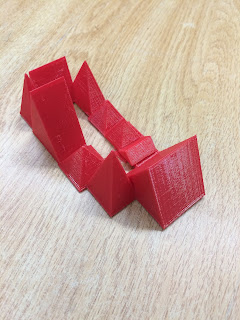


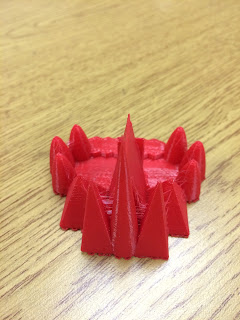

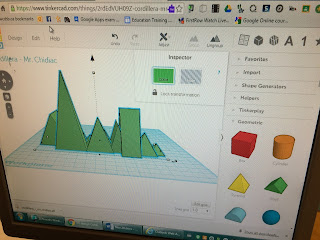

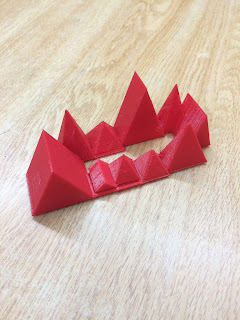

Lots of great conversation/discussion before the printing and lots more after the printing. The students treat their creations like they are valuable minerals. I shouldn't joke too much because to them, these creations mean a lot. They truly are artifacts of their learning - that what they were interested in, thought about, and talked about could be brought to life using the right tools to make it happen. 

What I haven't mentioned in this post yet is all the talk I hear when students are working on designing their creations. They talk about measurement, proportion, grid location, shape, spatial orientation, and design, to name a few. They are taking what they know (and what they don't know) and converging all of it into a focused beam of energy to make their ideas a reality. 

Before the Science and Social Studies, we had some fun with our learning in Mathematics. You can read more about that experience here. The students did some amazing work around creating representations of 4 digit numbers. It was a success in so many ways - design and printing.


And then there was our very first venture - learning to use Tinkercad. We were talking about Rocks and Minerals in Science and the task was to create your very own Mineral!! A fun activity that would allow the students to demonstrate their learning. This proved to be a bit much for all of us. We ended up retreating and used Google Drawing to help us win our battle. I wrote about our experience - it was early on in our journey and looking back on it, very valuable to our development and understanding around design thinking. We didn't end up printing anything but what the students created was fantastic. They showed their competence with respect to Google Apps for Education (GAFE - particularly Drawing), which has proven to be a solid foundation for the 3D work we are doing today.

Even though its only been 4 months, it seems as though we have been at this for a lot longer. As I said above, Google Apps for Education has helped us build a solid competence from a technological and design standpoint. I saw this capacity grow in previous years with my grade 2 classes and that is where the idea of using 3D technology came to me. The evolution I envisioned is coming to fruition which excites me for the future. I look forward to continued sharing in the coming months as we learn new things and allow our imagination to run wild to bring ideas to life.

Thursday, December 24, 2015

Merry 3D Christmas!

With Christmas just hours away, I wanted to share our most recent 3D design experiment. At the start of December, the students thought it would be a good idea to stretch our thinking and engage in one last big idea before the end of 2015. 

After some discussion, we decided that we would create our own Christmas ornament - an fun artifact to celebrate Christmas and a great way to end 2015. It was also noted that this artifact would be one that we would revisit year after year - each time we put up and decorated our Christmas trees.

Our learning has provided us with some insight on best practices when it comes to designing and printing objects. Students engaged in discussion about the shapes we might consider, designing it 'big' and then shrinking it to a reasonable size when it's time to print, and they also talked about marking the date on it and whether to include the date by excluding it (cutting holes) vs including it (making it stand out) in the design. 

Ultimately, whatever was to be created in the end had to be easily 'mass' produced so that each student could have one to put in their tree. 

After designing a couple of options, one of the students discovered a tree shape that was available to us in Tinkercad.  The class agreed to go with the tree shape in the app. This saved us a lot of time because all that was left to do was deal with the date and dimensions of the ornament.

Once we made a final decision, it was time to print! Our first version had an issue with the hole at the top of the tree that would hold a ribbon or metal hook that would allow it to hang on the tree. We took a bit of time to move the hole and make it a bit smaller. Here is what our final version looked like:


The ornament is not very thick, but thick enough to make it sturdy and can be printed in about 30 minutes.

We really enjoyed working on this activity. The students thought like designers and considered their knowledge/experience with the software and hardware. They used their understanding of measurement and mapping skills to make final decisions about length, height, thickness, etc. 

I'm so proud of how far they have come and look forward to what they do in the new year.

Wishing you a Merry 3D Christmas and a happy New Year!


Saturday, November 7, 2015

Mathematics and our 3D Artifacts

In Mathematics the students are adding and subtracting 3 and 4 digit numbers. They are engaged in a variety opportunities to gain knowledge, problem solve, apply their skills, and communicate their understanding, or lack thereof. They are talking, drawing, and using manipulatives as they work through problems. Sometimes they work with others and sometimes they work on their own. As I move around the room I listen to what the kids are saying, watch them work, and ask them questions about their ideas and the processes they are following to solve problems/complete a task. They seemed to be on the right track so I decided to add another layer to their learning.

I put the students into groups and explained that they would need choose a 4 digit number, create a representation of it using Tinkercad (3D software), print it, and then present it to the class. Based on my observations and discussions with the students, this seemed like the perfect time and task to integrate the 3D technology in a way that would allow them to use a design mindset to apply their knowledge and skills to create physical artifacts of their learning - to bring their thoughts and ideas to life. This task would also allow them to be collaborative and creative in order to complete the assignment.

I created the groups strategically. Each group had the following:
  • a natural/compassionate leader
  • someone skilled at using Tincercad
  • a student unsure of what to do
  • confident/competent student with the "Math"
I also let the students know that I would be moving people around if I felt that they had been placed in a group that wasn't working for them. There was a bit of grumbling, but once they got started things seemed to be going smoothly. Once or two group changes were made (personality conflicts) and then things were really underway. Each group had a Chromebook to access Tincercad and as usual they were free to work anywhere they wanted to within the classroom. 

While the students were working I was moving from group to group - listening to them and watching them go through the process of expressing their ideas (discussion, 2D drawings), representing them (using the software to take 2D drawings into 3D drawings), and then creating them (3D printing their representations). I was also listening for references to what they were learning in our current unit of study, past unit, and future units. From my perspective, I got to see and hear the four areas of achievement in such a natural way. The students were providing me with great data about what they know and what they can do as they engaged in this activity. 

The students were given two "Math" periods to collaborate and create and then we printed their work. 

Here are some photos of them working through the process:


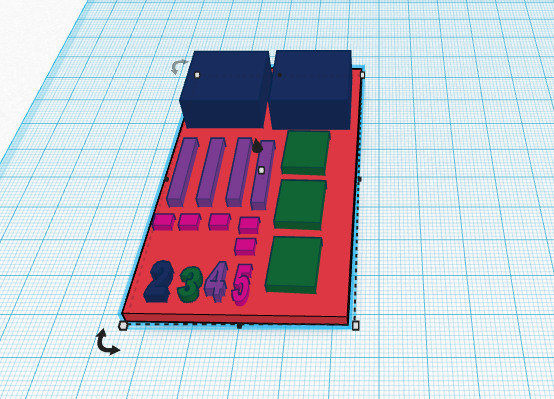
Here are some screen shots of their work in Tinkercad:


Here are some photos of their 3D printed representations:


When the time came to present their work, the students were very excited to share what they had done. They talked about what worked, what didn't work, and how they dealt with design problems. They talked about their experience using Tinkercad and about new ideas that have come from this experience. EVERYONE in the group spoke and had something to offer. They even made sure to let me know who they might want to work with next time and who would like to lead :)

This was their first time they went through the entire design mindset process - from beginning to end. They have a lot of experience using the Chromebook and a significant amount using Tinkercad but this was the first time they printed their work. Having printed their work and actually held a product of their thinking in their hands, they now have some insight into how the printer puts together their design and what they might do differently now that they know how the printer does its job. 

This experience has provided my students and I with a new and exciting layer to our learning journey. We could feel a shift, an evolution, as we worked through the task that was given to them. They have a taste of the amplification that this type of thinking and technology can provide their thoughts and ideas. We are looking forward to what comes next and I can't wait until the next time I share our experiences with you.

I would love to hear about your thoughts and ideas about our experience. Please feel free to leave a comment below, and/or connect with me on Twitter or Google +.

Wednesday, October 28, 2015

No Matter How Small

I learned something "small" yesterday. It isn't mind blowing or earth shattering, but for my students and I it is an inch of learning that has opened up a highway for us. My students spent some time learning to use Tikercad, a simple, online 3D design and 3d printing tool for anyone and everyone. We got to the point where they wanted to start printing some of their creations but without an input device attached to our 3D printer we had to figure out how to get Tinkercad designs to print on our MakerBot printer. 

A couple of emails and some time to play with the MakerBot software on my home computer and voila - success! I learned how to convert common 3D files into ones that MakerBot recognizes. That afternoon I returned to the classroom and shared my learning with the students. 

I provided them with every detail of the process I went through to solve the problem that we faced. I wanted them to see that the obstacle placed in front of us could be overcome with some time and energy. I wanted them to hear (and they have heard me talk about it) that we could work through this and that our journey this year would involve many obstacles - and that the obstacles we work through will lead to a feeling of success and satisfaction. 

After all my blabbing, they wanted to know what file I converted in order to print via our USB flash drive. Here it is:


It's a bobble head Creeper - a Minecraft character! How could I not oblige my students, they have a love and fascination for Minecraft!! There are three parts to it and it took a couple of hours to print it out. 

Stay tuned for more good learning and some artifacts of our journey!

Friday, October 16, 2015

Establishing a Design Mindset

In Science we are studying Rocks and Minerals. We have been having a lot of fun learning about a topic that all of us thought was going to be a bit dry. With the help of Google Drawings and Tinkercad we have been having a lot of fun!

We have been using Tinkercad often in order to learn how to effectively use the software. It's safe to say that the students have been thinking about how to integrate it into our learning as much as I have. Well, they came up with a great idea when we were talking about the properties of minerals. The students and I thought it would be a lot of fun to "create" our own minerals. Using the anchor chart on how to identify minerals, the students put their learning into practice by applying what they learned to create their own minerals.


As they considered properties such as lustre and hardness, they started imagining what their mineral would look like. They started using Tinkercad to create a 3D design of their mineral. They worked hard and put the software to good use but it wasn't enough to satisfy them. They seemed to want to do more than just design a rock/mineral.

This is where I suggested we take a step back - leave the 3D software for a bit - and use Google Drawings to create  a design and be able to add text and share their work with me and their classmates. The students welcomed this opportunity and their effort and interest stayed the same.

Here are some examples of what they created:


As the students worked on their task I observed them collaborate, create, and share their ideas, issues, and successes. With many of the invented minerals complete, the students are talking about their designs and how they can apply what they did in Drawings to the 3D software. 

They are establishing a design mindset as they work on taking their ideas and bringing them to life. Having experienced the amazing things students can do when given time to experiment and follow their interests I am making more of an effort to step back and enjoy the ride more rather than focus on our destination.

Monday, September 7, 2015

The Start of our 3D Journey

Our 3D printer arrived shortly before the start of school. It felt like Christmas as I unboxed it and set it up. For the first few days of school the students and I would walk over to it and examine it. It was a period of investigation and wonder. We had a lot of questions (and we still do) and wanted to turn it on but we knew that we needed a good chunk of time to do this. With the hustle and bustle of start up, there were other more pressing matters to take care of first.


The time finally came at the end of the week. We powered up the printer and started our journey - to harness this amazing technology to assist us with our learning and achievement. As we followed the set up prompts we gained knowledge about the inner workings of the printer. We installed the plastic filament, extruder, and leveled the printing table. The time finally came for us to actually get the printer to create something. We learned that the printer had a few designs already loaded so we embarked on some test prints.


The first print we decided on was a nut and bolt. We wondered what it would look like and how the printer would produce such objects. We started the print and then went back to business in the classroom. Every now and then someone would go over to the printer, take a look, and report back. Near the end of the print job there were some issues. For one reason or another, the plastic would jam and I needed to remove the plastic from the extruder and then re-insert it. This happened several times during the day, which surprised me. Although I had read that this sort of thing happened, I didn't expect it to occur so quickly with a brand new (and expensive) machine.

Our first print completed! A nut and bolt:


As a group we decided to keep things going and decided to print a chain link:


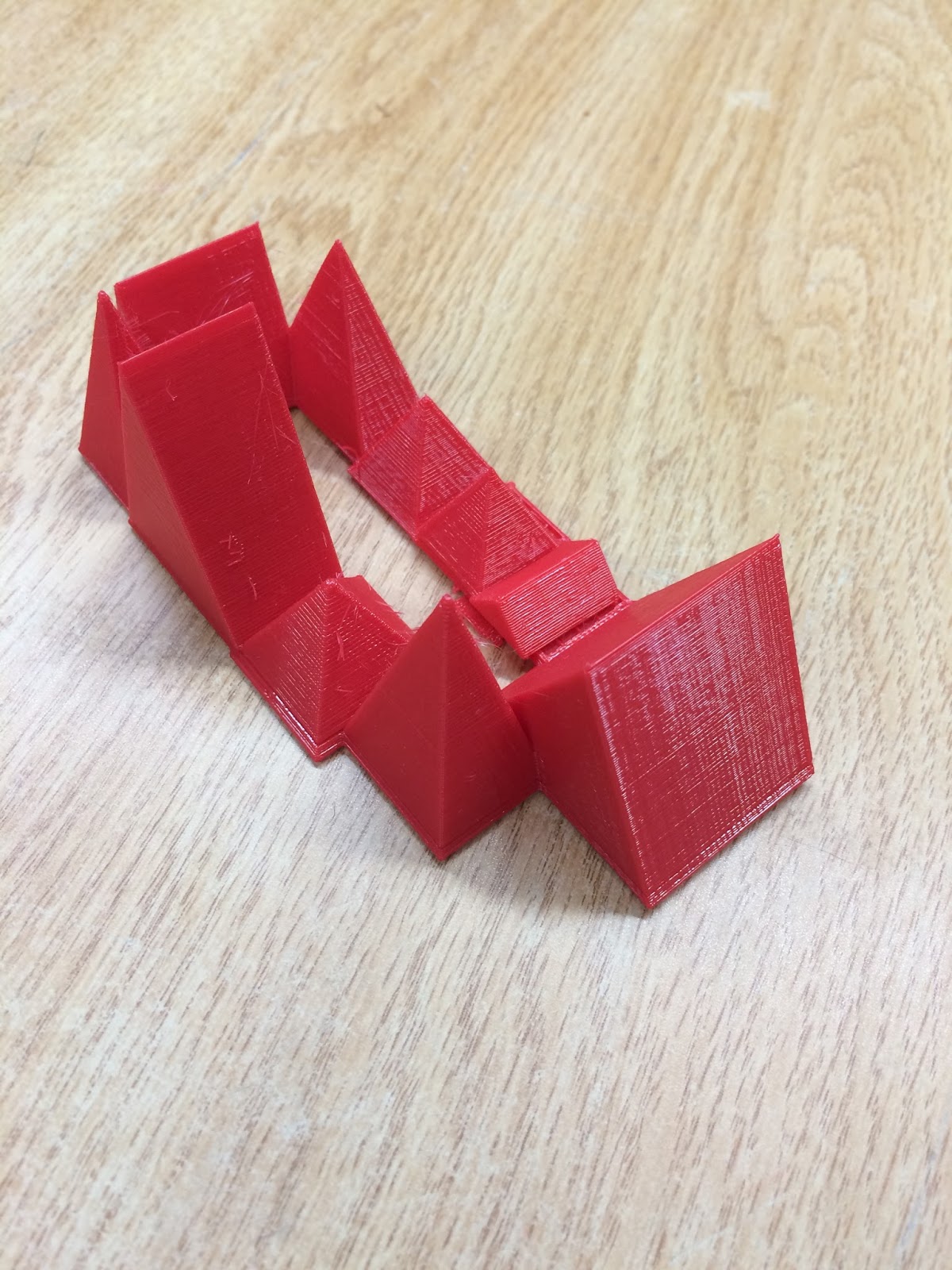
Between recesses and lunch we had some time left in the day and the students decided to print a flexible bracelet:


You should have seen how interested the students were before we set up and turned the printer on. Now that they have seen the capability of the printer, they are very excited about the possibilities. Some next steps involve me learning more about the workings of this machine and introducing the students to design software so they can become familiar with that realm of 3D technology.

With such an eager group of students it is only a matter of time before they truly take advantage of the tools we have available to us in the classroom.